
Sculpt3D is a native, touch-first solid modeler for Mac, iPad, iPhone, Windows and Android, built on the OpenCascade B-rep kernel. Every step stays editable in a parametric history, and an MCP server lets AI assistants model live in your open document.
| Guide | What's inside |
|---|---|
| In-App Tools Guide | The workspace, navigation, and every tool on the rail and menus: Sketch, Insert, Construct, Transform, Tools, View, Measure, Section, Visualize, History, Export. How to use each one step by step, shortcuts, and pictures. |
| MCP Tools Reference | Connecting Claude (or any MCP client), how the server works, and all 40 MCP tools: description, parameters, example call, real reply, picture, usage notes and a prompt to try. Plus recipes and troubleshooting. |
30-second start
- Open Sculpt3D and press K to sketch on the Top plane, R to draw a rectangle, then Extrude.
- Select edges and press F to fillet. Open History (⌥⌘P) to change any step later.
- To model with AI:
claude mcp add --transport http sculpt3d http://127.0.0.1:7317/mcp, then ask Claude to build something.
About the images
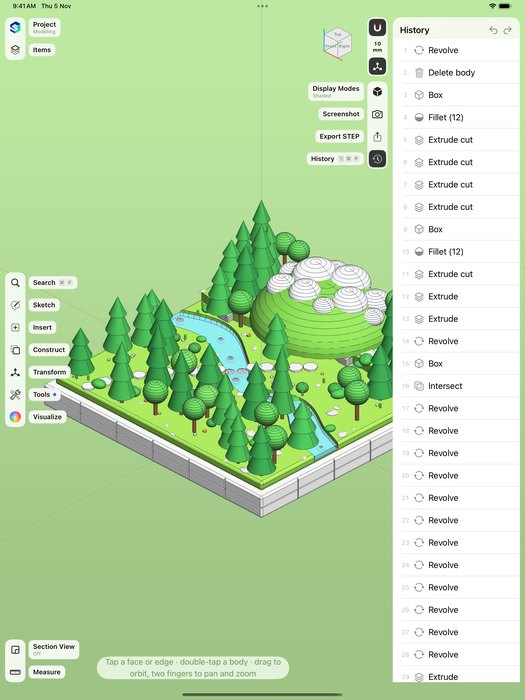
Images in images/mcp/ were rendered by the Sculpt3D viewport through its own screenshot tool, right after calling each tool with the example arguments shown in the reference. Images in images/app/ are screenshots of the app's interface (iPad, iPhone and Android tablet; the Mac app uses the same layout and rail).